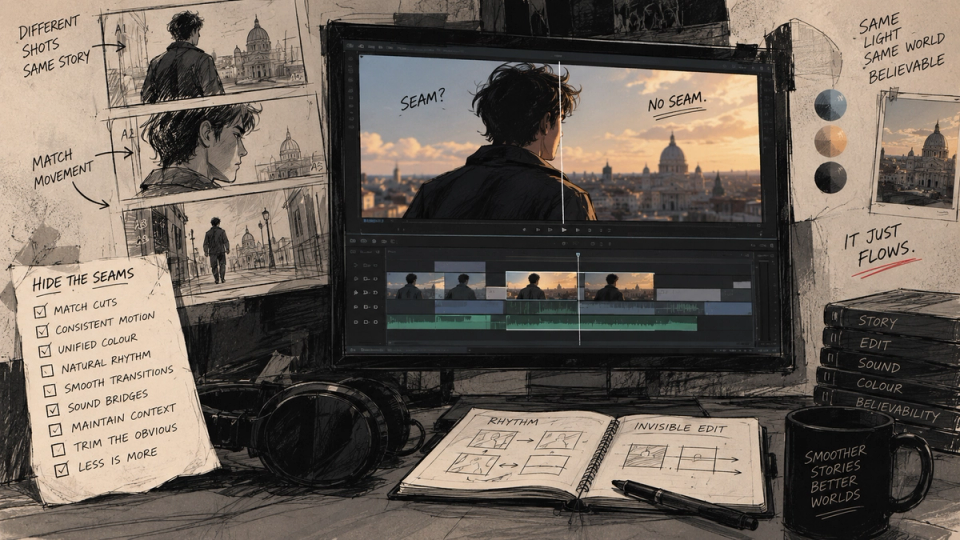
Footage from a single shoot has a great deal in common before an editor touches it. One sensor, one lens set, one grade, one afternoon of light. Independently generated clips share none of that. The picture-to-picture consistency an editor normally inherits has to be manufactured, and the tools for manufacturing it are the oldest ones in the discipline.
The nine rules
- Cut on motion. A cut during a movement hides the discontinuity between two clips, because the eye is tracking the movement and has stopped comparing frames. This is the single highest-value rule and it is a century old.
- Never cross-dissolve two generated clips. A dissolve holds both images on screen simultaneously, which is precisely the condition under which an audience compares them and notices they do not match.
- Vary shot size across every join. Two similarly sized shots joined together invite comparison. Wide to close does not, because there is nothing to compare.
- Take the front of every clip. Coherence degrades as a generation runs on, so the usable portion is at the start. Generate long, cut early.
- Never cut two clips from the same generation batch together if they show the same subject at the same size. That is the pairing most likely to reveal identity drift.
- Let sound run across the cut. Continuous audio over a picture change is the oldest continuity trick there is, and on generative footage it does most of the work.
- Grade everything to a single target. Matching clip two to clip one and clip three to clip two accumulates drift. Set a reference and pull everything to it.
- Add one unifying layer over everything: a consistent grain, a slight and consistent lens artefact, a shared halation. It gives the sequence a common surface it did not have.
- Cut fast on the first pass, past the point of comfort, then find where it can breathe. Long holds are where drift becomes visible, and a held shot has to be earned.
Where the seams show
| THE MISMATCH | WHEN IT SHOWS | THE ANSWER |
|---|---|---|
| Light direction | Immediately, and it is the most damaging one | Fix it in the prompt. No cut hides a key light on the wrong side. |
| Identity drift | On a cut between two shots of the same face | Insert a different shot between them, or re-render. |
| Grade and contrast | Across the whole sequence, as unease | One reference frame, everything pulled to it. |
| Grain and sharpness | On a dissolve or a slow cut | A single grain layer over the finished piece. |
| Motion feel | When two clips have different apparent frame rates | Match speed, or cut on a movement that masks it. |
The first row is worth dwelling on. Light direction is the one mismatch no editorial technique conceals, so it has to be solved before rendering, in the lock file. Everything else on that list is fixable in post.
The two transitions to avoid
The cross-dissolve, for the reason above. It is the one transition that guarantees the comparison you are trying to prevent.
And the morph or generated transition between two clips, which draws attention to the join by making it the most interesting thing on screen. It also tends to be the moment where the model invents geometry, which is a strange thing to place at the point of maximum audience attention.
What generative footage is unusually good for
- Montage, which is short clips joined by cuts and therefore native to the constraint.
- Inserts and cutaways, which are short by nature and do not have to match a wide.
- Establishing shots with no people in them, which have the highest acceptance rate of anything and hold for longer.
- Anything stylised, because a register that is not photoreal has a much wider tolerance for inconsistency.
And what it is bad for: the two-hander held in a wide, and anything where the value of the shot is that it did not cut. Those are the shots to film, if they matter enough.
The nine tells, arranged by the stage at which each has to be caught, including the ones only visible on the assembled set.
THE CONSISTENCY CHECKLIST →